let-the-penguin-live
Analysis
- Exiftool
ExifTool Version Number         : 13.36
File Name                       : challenge.mkv
Directory                       : .
File Size                       : 8.1 MB
File Modification Date/Time     : 2026:02:27 13:38:54-05:00
File Access Date/Time           : 2026:03:03 04:20:50-05:00
File Inode Change Date/Time     : 2026:02:27 14:09:14-05:00
File Permissions                : -rw-rw-r--
File Type                       : MKV
File Type Extension             : mkv
MIME Type                       : video/x-matroska
EBML Version                    : 1
EBML Read Version               : 1
Doc Type                        : matroska
Doc Type Version                : 4
Doc Type Read Version           : 2
Timecode Scale                  : 1 ms
Title                           : Penguin
                <SNIP>
Codec ID                        : A_FLAC
Track Type                      : Audio
Audio Channels                  : 2
                <SNIP>
Compatible Brands               : isomiso2avc1mp41
Comment                         : EH4X{k33p_try1ng}
                <SNIP>
we have a Comment EH4X{k33p_try1ng} and 2 audio channels.
Confirming with
ffprobe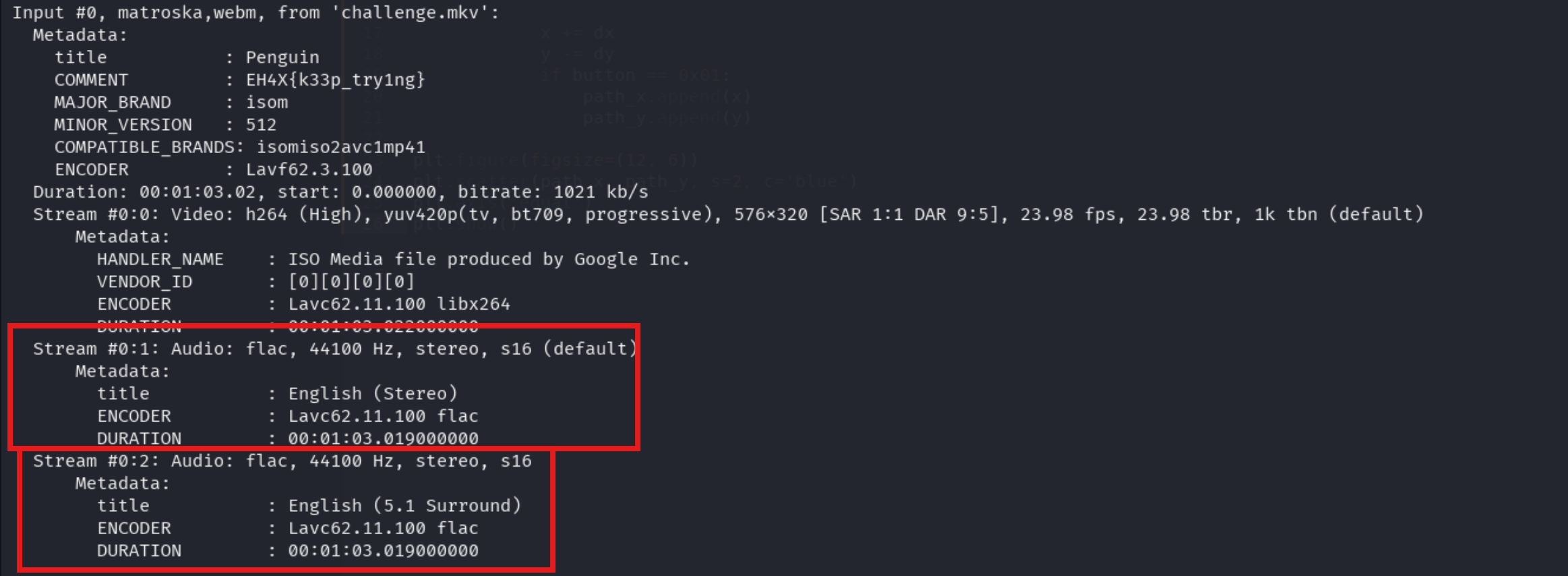
Stream #0:0: VideoStream #0:1: Audio 1 default audioStream #0:2: Audio 2 hidden audio
Decoding audio
As the description says: Silence the crowd to hear the individual. we have two audios in the track Track = crowd + individual. we have to remove crowd audio.
In sound wave if two waves are of opposite phase then phase cancellation occurs.
0:a:0-> is a Stereo -> contains Crowd noise + some audio0:a:1-> is 5.1 Surround -> contains Crowd noise + hidden message
So if we invert the phase of crowd noise in stereo, will cancel crowd noise in surround audio leaving the hidden message
ffmpeg -i challenge.mkv -filter_complex "[0:a:0]volume=-1[a];[0:a:1][a]amix" output.wav
[0:a:0]volume=-1[a]: Inverts the phase of the stereo audio track[0:a:1][a]amix: Mixes the inverted stereo track with the 5.1 surround track- Result: Identical audio (crowd noise) cancels out, leaving only the unique audio (hidden message)
Obtain flag
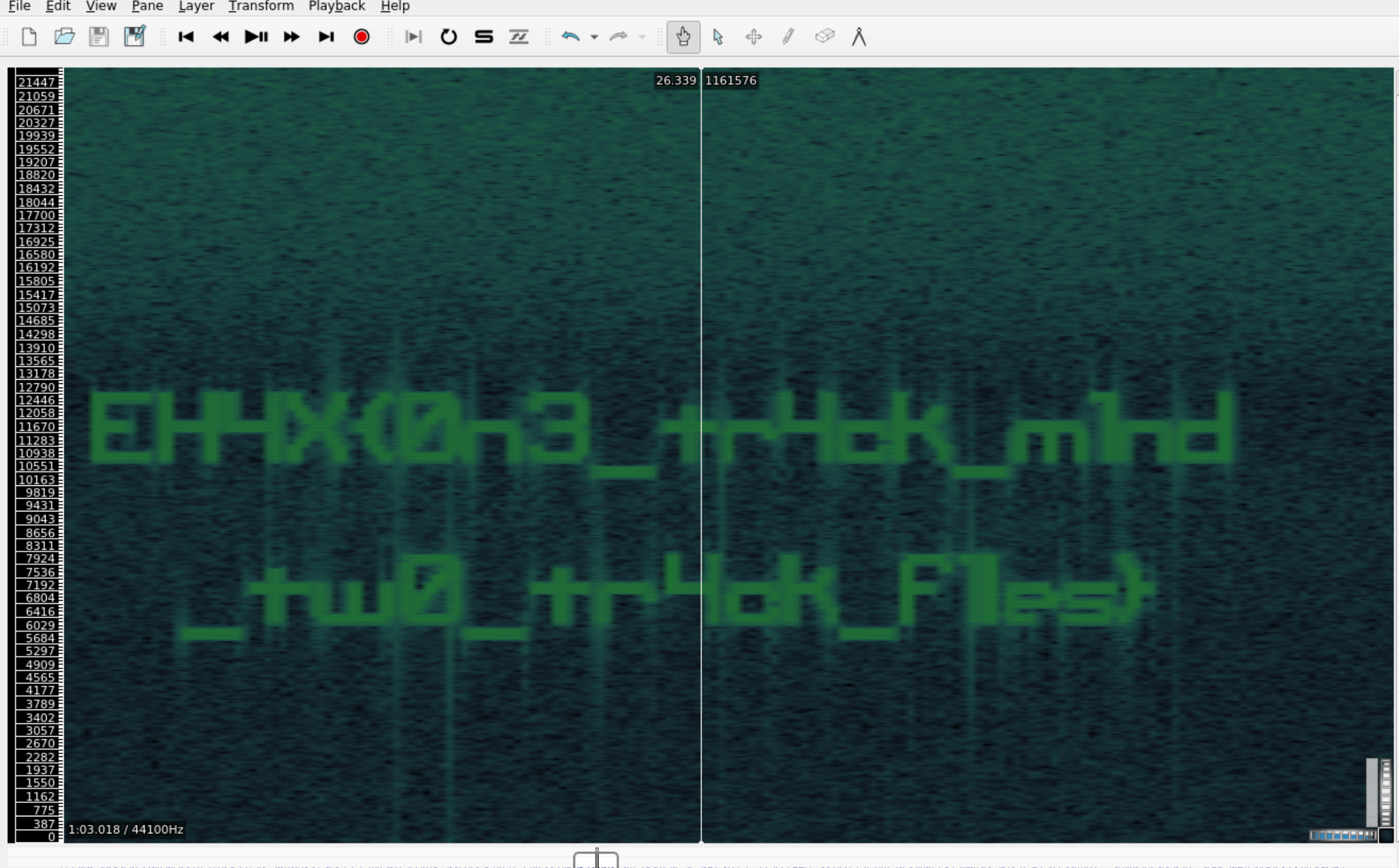
flag:
EH4X{0n3_tr4ck_m1nd_tw0_tr4k_f1les}
Baby serial
The challenge involves analyzing a Saleae logic analyzer capture (.sal file) to determine if Joe successfully sniffed serial communication. First I analysed the sal file in this site: Sal Converter
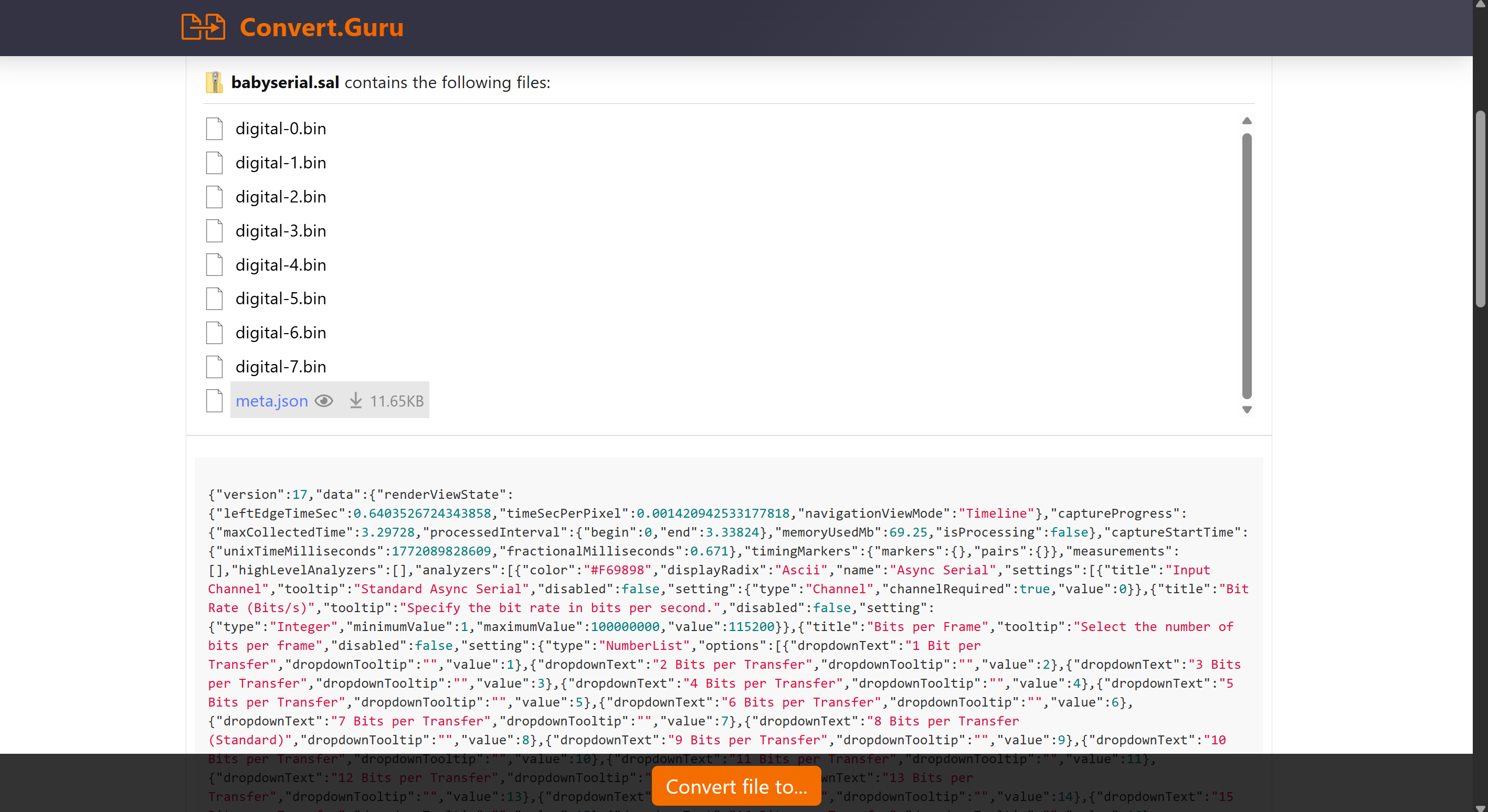
Here meta.json provides configuration details (e.g., sample rate, channel count). The digital.bin files are likely raw data chunks referenced by the .sal file.
Using Salae Logic
Download the salae logic software first: here
Steps to Follow:
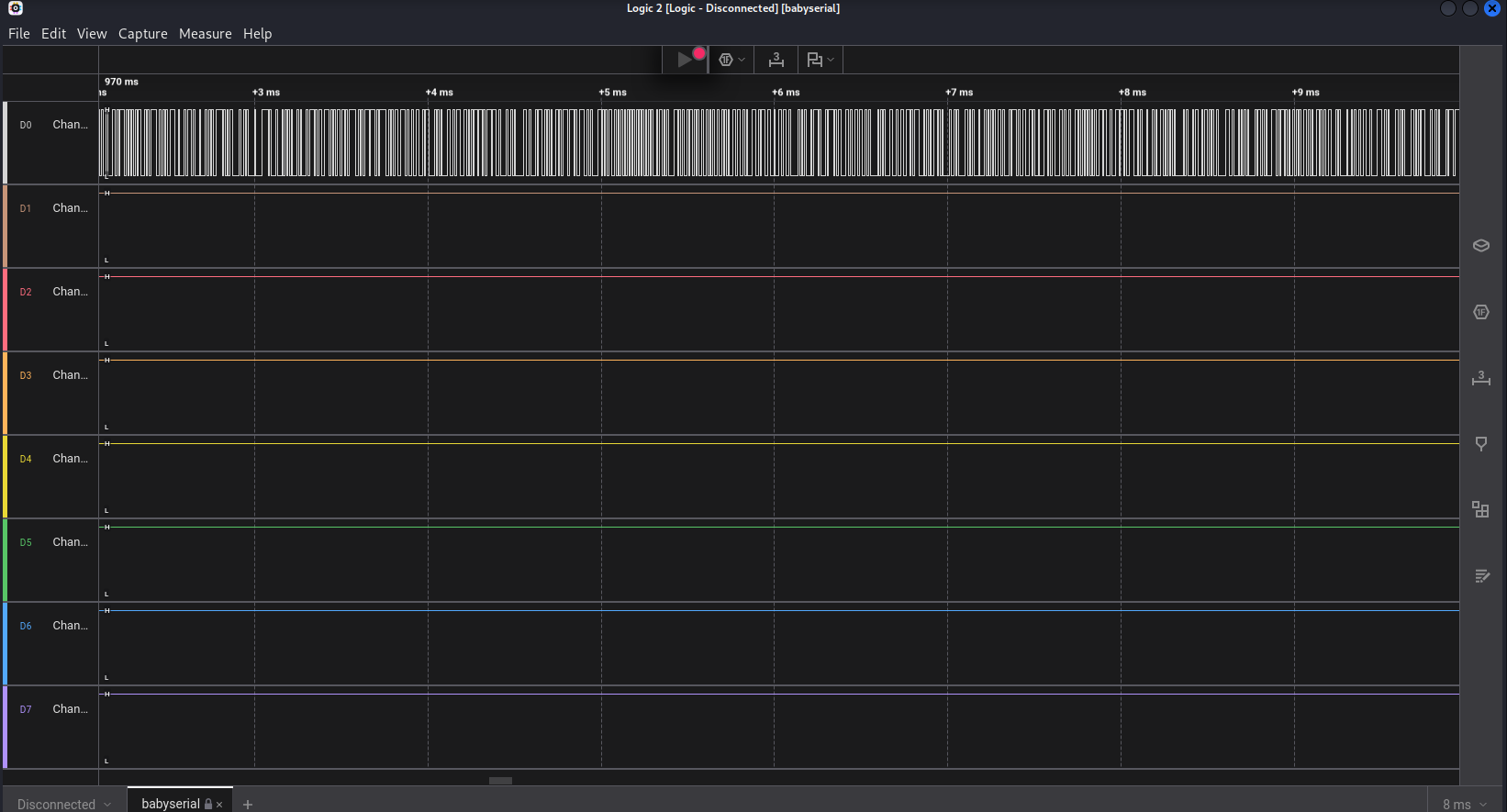
- Open the
babyserial.salfile in salae logic software - We see pulses on channel 0, this is raw UART data
- Decode the serial data
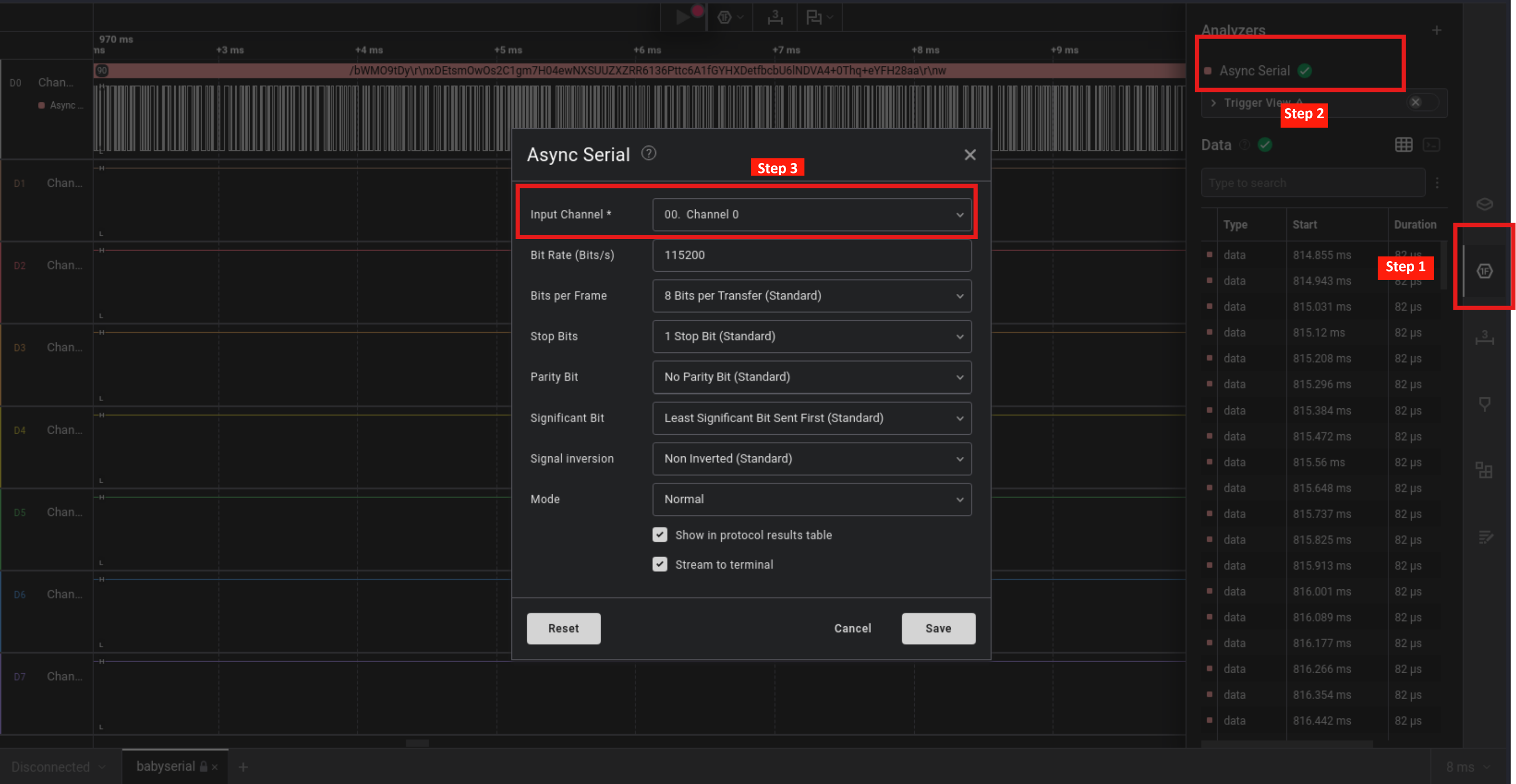
- On right bar we see Analysers button
- Click on Analysers and add
Async Serialanalyser - Choose channel 0 and keep other settings unchanged
- We can see
Datasection on right side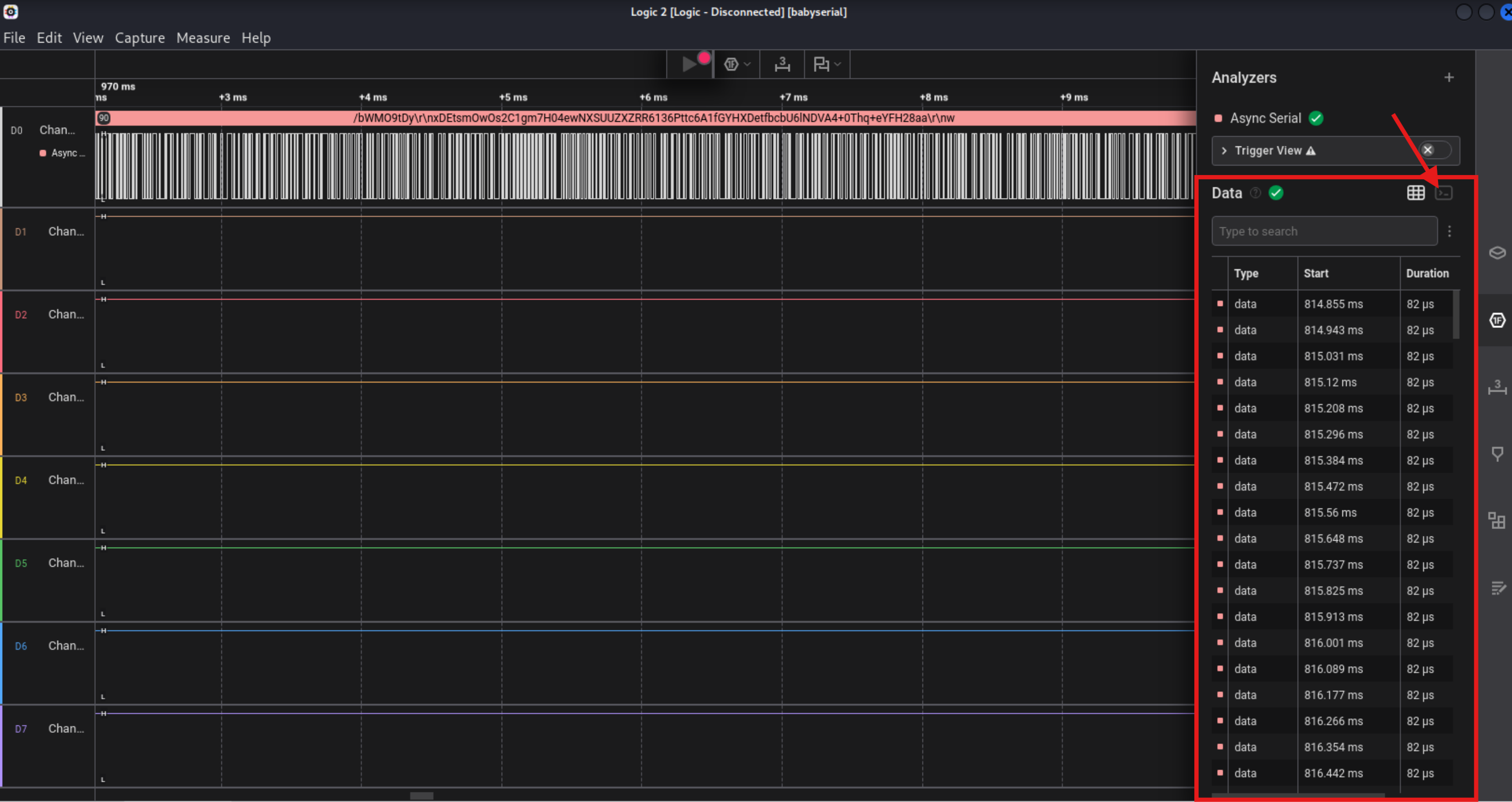
- there is grid view and terminal view click on terminal view
- copy the data
- Paste the data in cyberchef decode using
From Base64then we see png header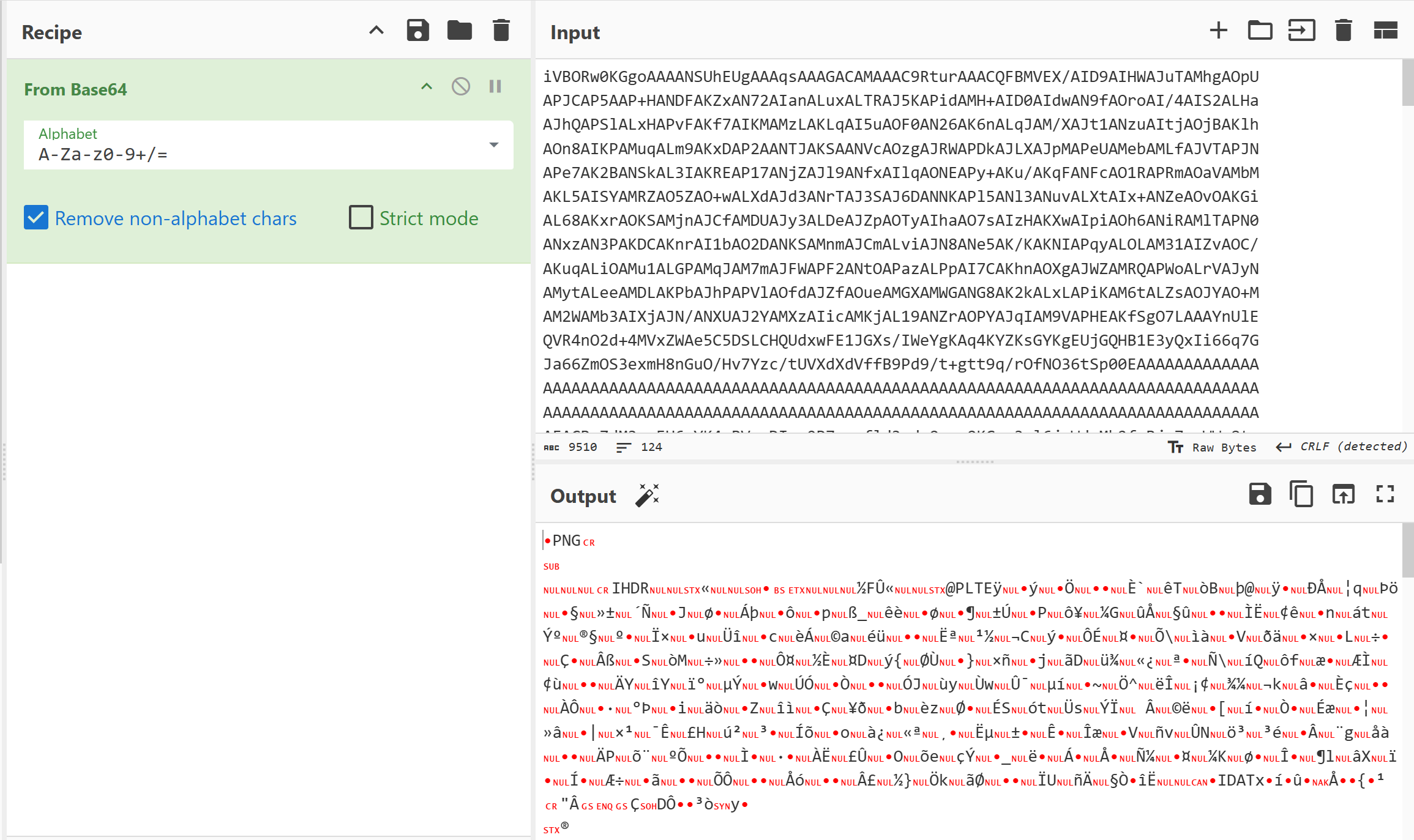
- Add render image and get flag
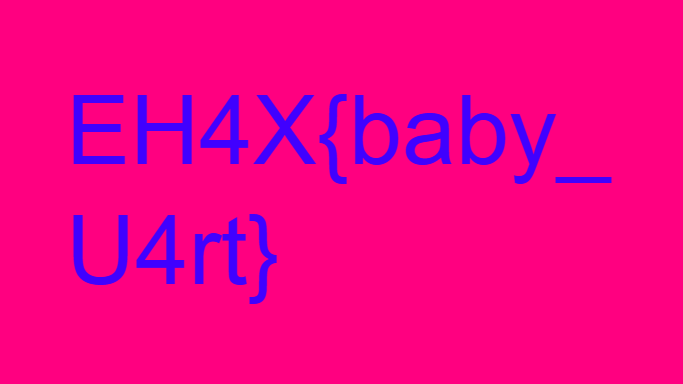
Painter
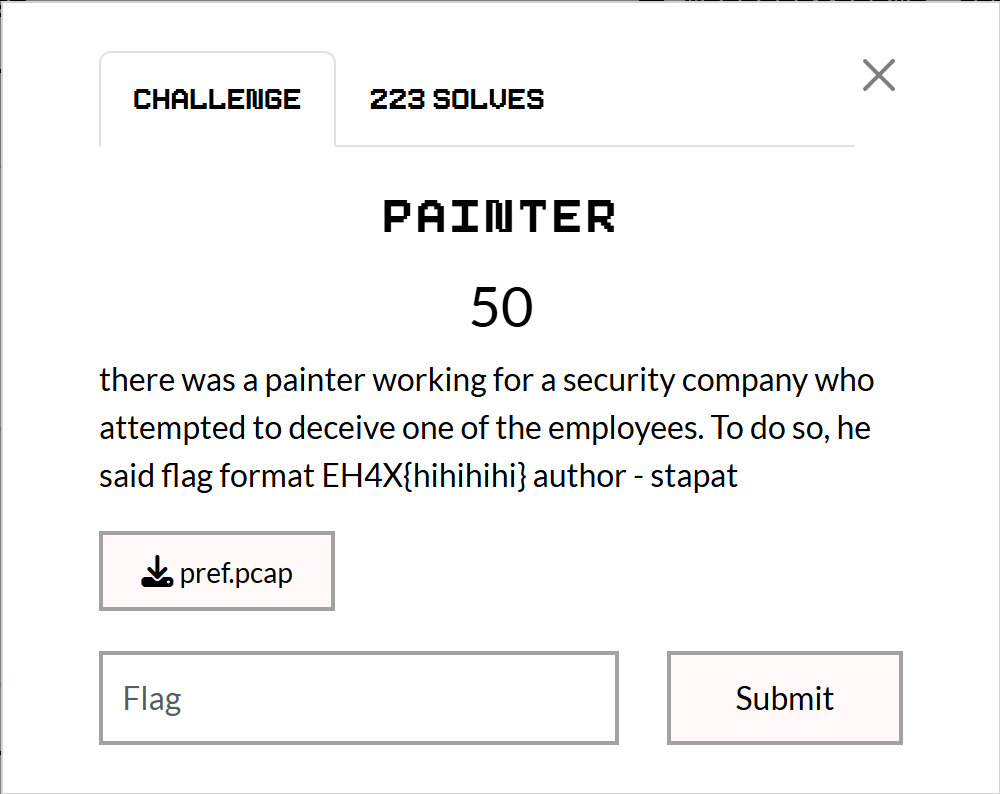
We are given a .pcap file which contained USB HID (Human Interface Device) Traffic capture data. The flag was “drawn” using a mouse or a drawing tablet.
Analysis
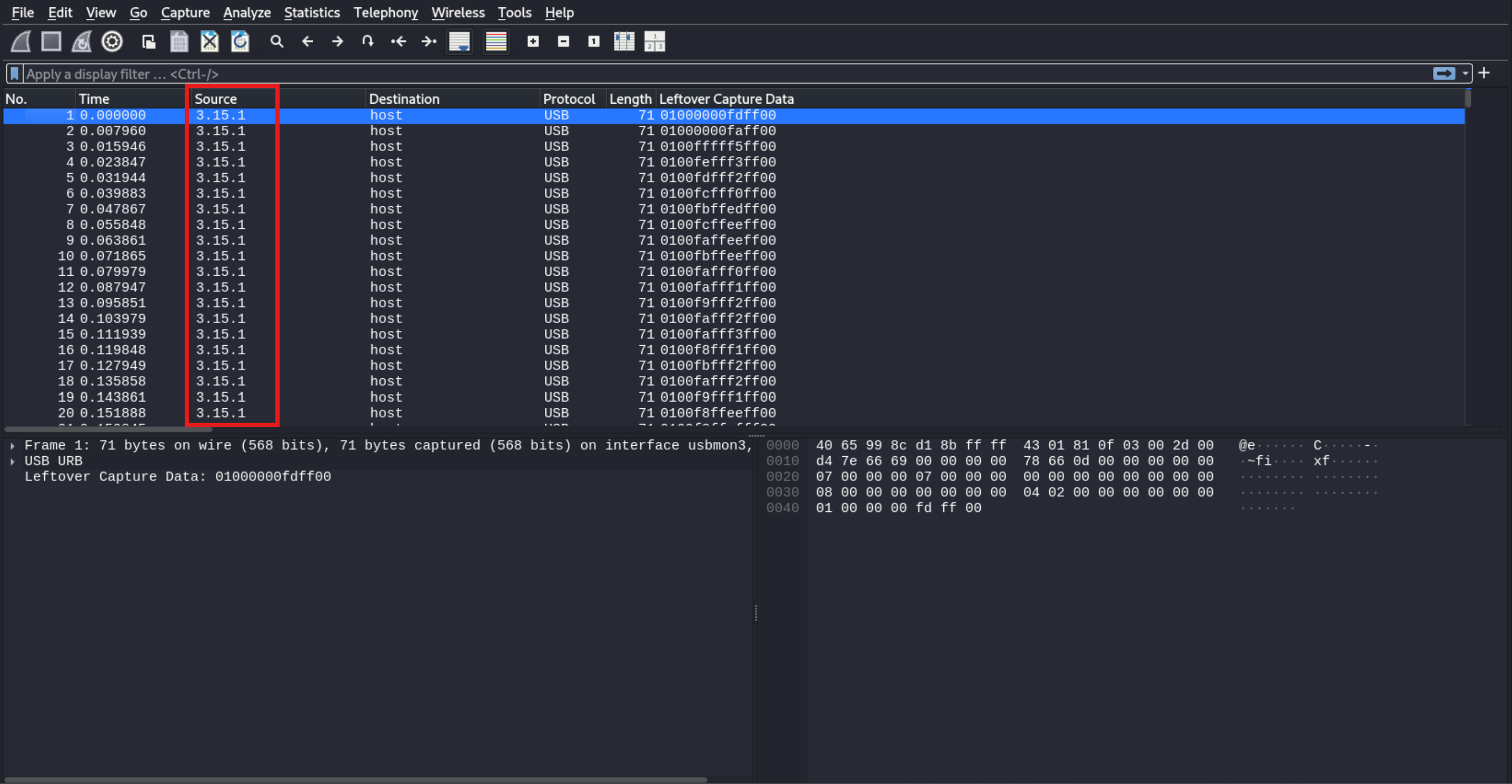 The source
 3.15.1 tells us the traffic comes from Bus 3, Device 15, Endpoint 1. We need to extract the “Leftover Capture Data” from these specific packets.
tshark -r pref.pcap -Y "usb.device_address == 15 && usb.bus_id == 3 && usb.capdata" -T fields -e usb.capdata > data.txt
contents of data.txt
01000000fdff00
01000000faff00
0100fffff5ff00
0100fefff3ff00
0100fdfff2ff00
0100fcfff0ff00
0100fbffedff00
0100fcffeeff00
0100faffeeff00
0100fbffeeff00
0100fafff0ff00
0100fafff1ff00
0100f9fff2ff00
0100fafff2ff00
0100fafff3ff00
0100f8fff1ff00
0100fbfff2ff00
0100fafff2ff00
0100f9fff1ff00
0100f8ffeeff00
0100f8ffefff00
0100f8ffefff00
0100f9ffefff00
0100fafff2ff00
0100fcfff5ff00
0100fcfff7ff00
0100fefff9ff00
<SNIP>
Reconstruct the drawing
Standard mouse packet is 4 bytes: data[0] = buttons, data[1] = x, data[2] = y
import matplotlib.pyplot as plt
import struct


x, y = 0, 0
path_x, path_y = [], []

with open('data.txt', 'r') as f:
    for line in f:
        data = bytes.fromhex(line.strip())

        if len(data) >= 6:
            button = data[0]
            dx = struct.unpack('<h', data[2:4])[0]
            dy = struct.unpack('<h', data[4:6])[0]

            x += dx
            y -= dy
            if button == 0x01:
                path_x.append(x)
                path_y.append(y)

plt.figure(figsize=(12, 6))
plt.scatter(path_x, path_y, s=2, c='blue')
plt.axis('equal')
plt.show()
This produced following image:
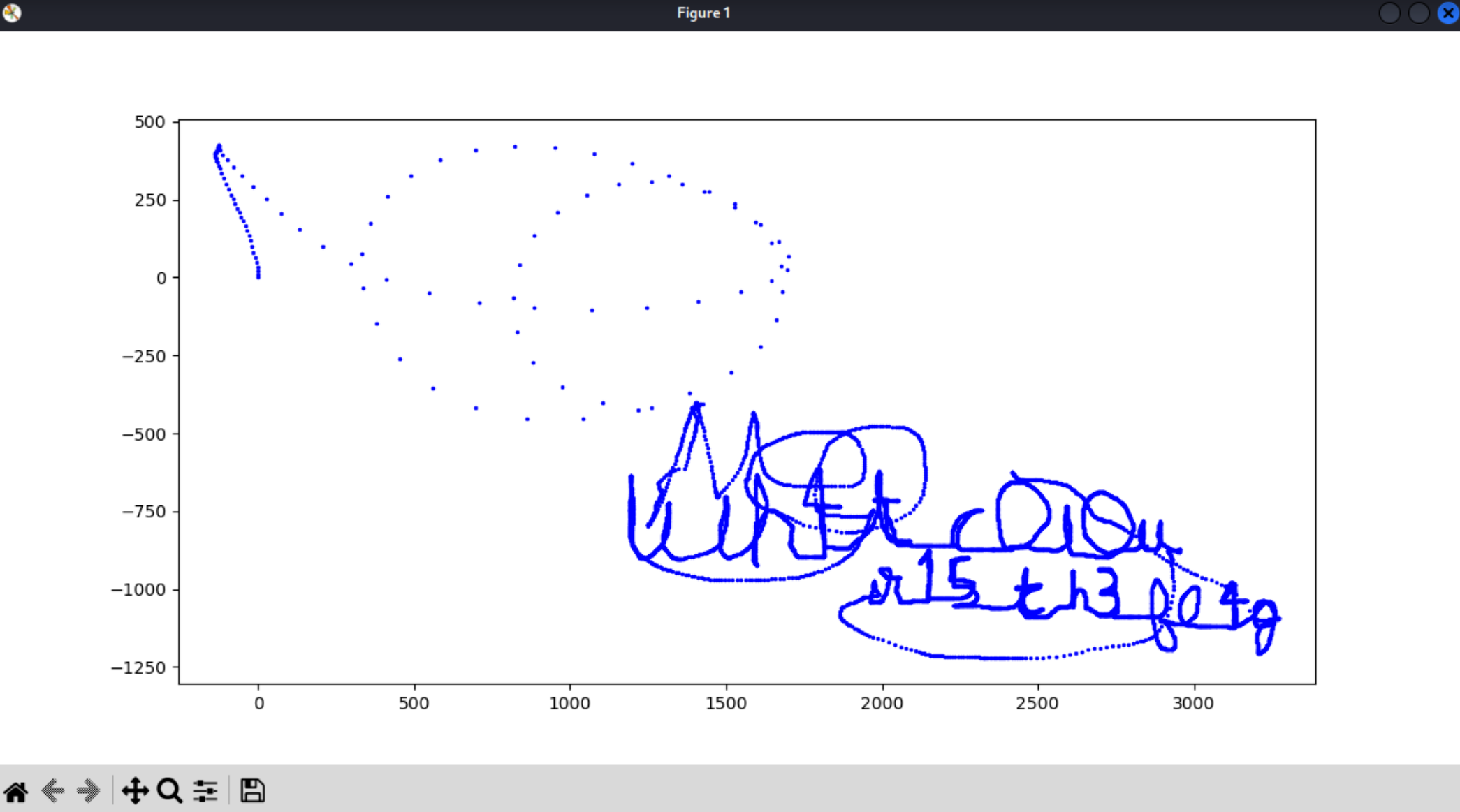
the text was:
wh4t_c0l0ur_15_th3_fl4g